Colorado Layered Map / Laser-cut design
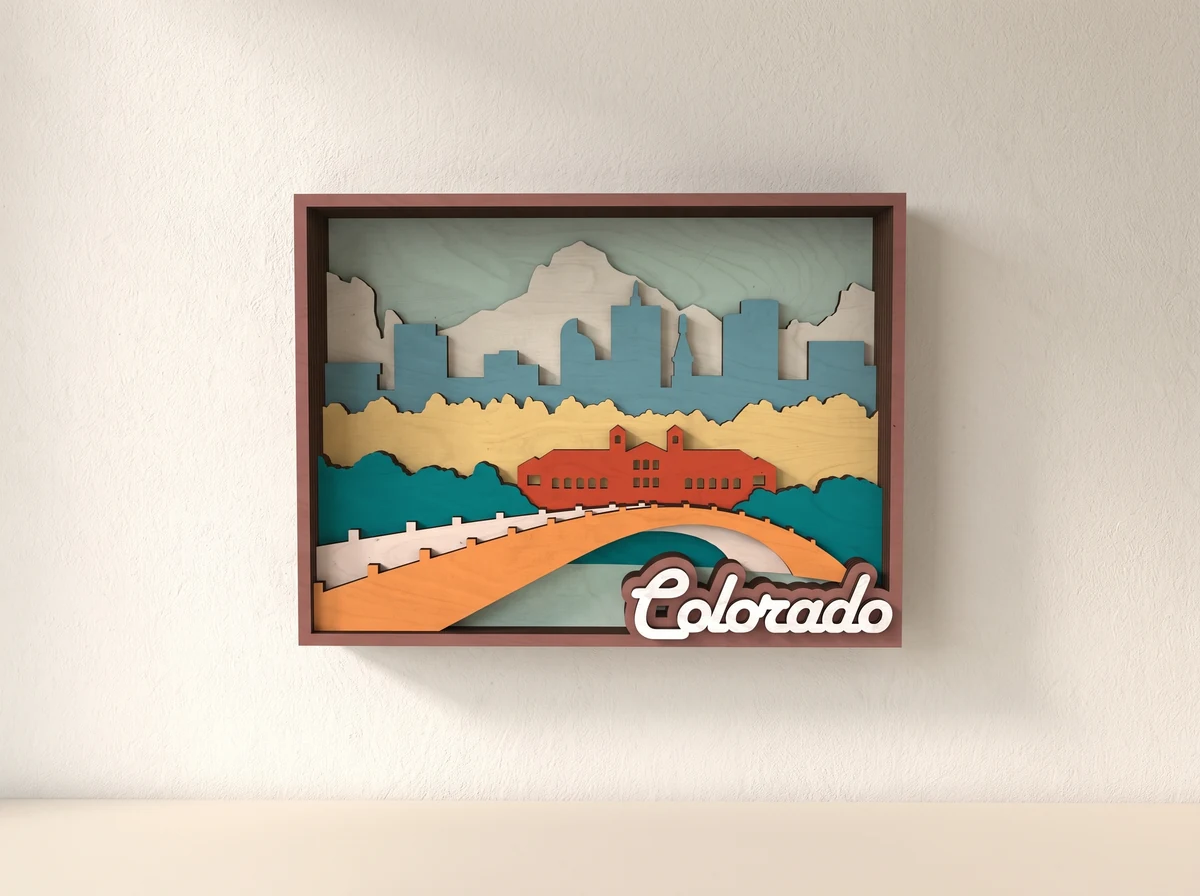
Colorado. Nine layers.
Mountains behind a skyline, with water and a covered bridge in front. Nine layers build a Colorado scene inside a rectangular frame.
Digital design · SVG + DXF + AI + CDR
No physical model or materials are shipped.
01 /The design
A landscape arranged in nine layers.
The composition moves from the bridge and water in the foreground to the skyline and mountains behind. Colorado lettering completes the lower edge of the artwork.
SVG, DXF, AI and CDR design files are included. Choose contrasting finishes to keep the layers readable, then check their alignment before fixing the stack together.
Nine-layer scene
The separate layers build depth from foreground to mountain backdrop.
Colorado lettering
The place name sits along the lower edge of the framed scene.
Four vector formats
Use a supplied format supported by your preparation software.
02 /At your workbench
Choose your material.Make it fit.
Check the detail.
Inspect the smallest bridges and fine cutouts at your chosen size. Cut a small sample before committing a full sheet.
Keep the layers aligned.
Use the same scale for every layer. Check the design against your laser’s usable work area before cutting.
Stack in order.
Arrange the cut layers in order and check their alignment before fixing them together.
Plan this build.
Check the dimensions in the current files and inspect the smallest skyline and bridge details at your intended size. Scale every layer equally and cut a test section before preparing the full artwork.
At the 3 mm material scale, no individual part exceeds 290 mm. This refers to one part, not the assembled model or the whole cutting layout. Rescaling changes that limit.
Before you start.
- Design
- Nine-layer Colorado artwork
- Vector formats
- SVG, DXF, AI, CDR
How many layers are in the Colorado design?
The artwork uses nine layers. Keep their scale consistent and dry-stack them to check the order and alignment before fixing them together.
What do I receive?
SVG, DXF, AI and CDR design files for the nine-layer artwork. An assembly guide is not confirmed. No physical artwork, frame or material is supplied.
Can I change the scale?
Scale every layer by the same percentage. The overall dimensions change, and fine bridges can become fragile when reduced. Material thickness changes the depth of the stack; check any alignment features or fitted connections and test a small section first.
Can I use the design commercially?
The files are for personal use. Contact 21CNCStudio before commercial use or selling finished items. Do not resell, share or redistribute the digital files without permission.
03 /From the studio to your workbench
Make your Colorado scene.
View the Colorado Layered Map file package and its current terms on Etsy.
View files on EtsyDigital design files.No physical model, material or hardware is shipped.