Skip to content

An ecosystem by 21CNCStudio

AuraEcosystem.

Air quality. In your room,
across your home, and beyond.

Devices that measure the air, a Hub that brings rooms together, and optional software for checking your spaces from anywhere. It starts with a monitor you can build today.

Visit aura-aq.com

Aura has its own website.
Build guides, firmware, the Link demo and project updates.

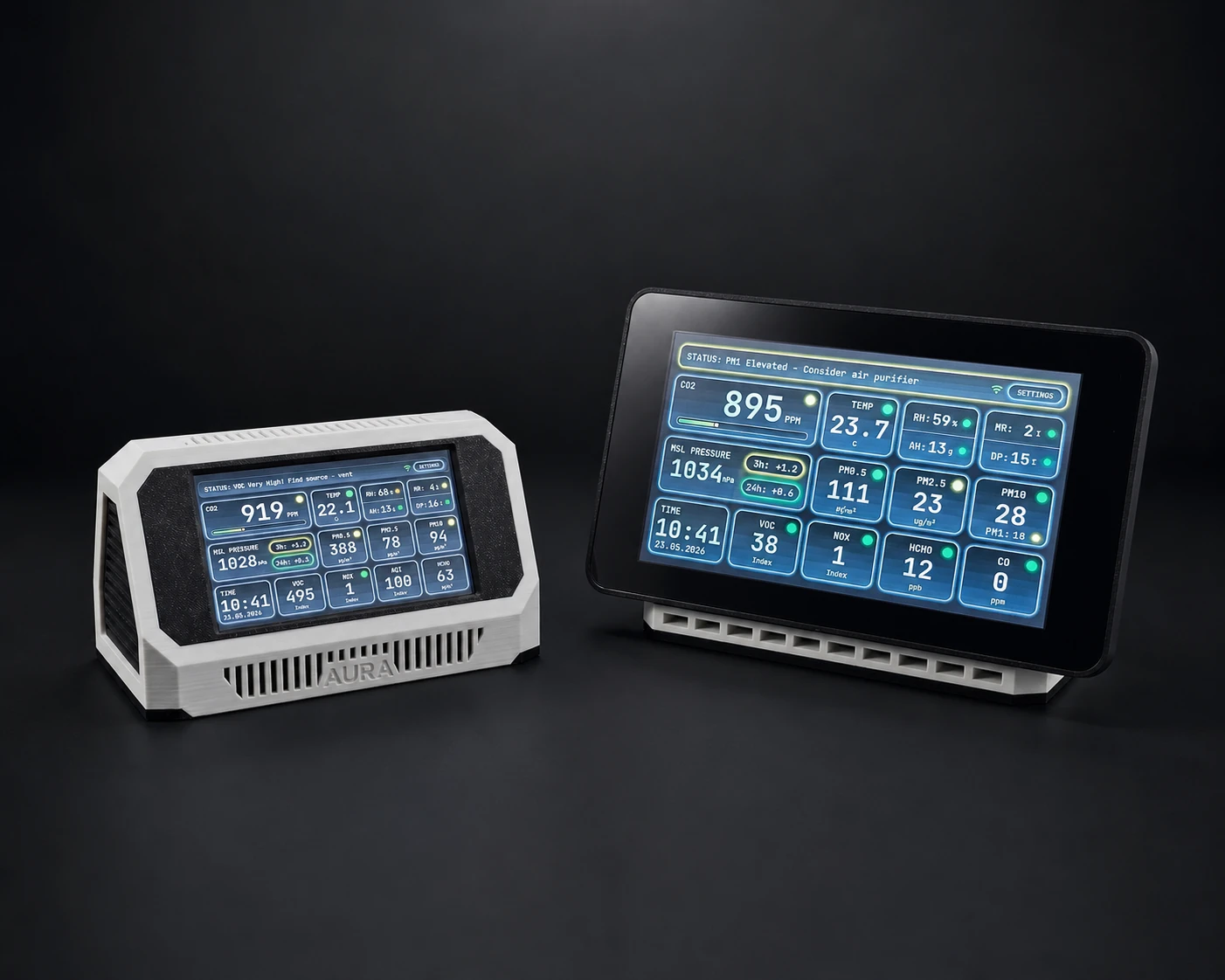
Aura AQ 4.3-inch and 7-inch touchscreen monitors in their printed enclosures
Aura AQ · The first device in the ecosystem4.3″ / 7″

01 / How it fits together

Start in one room.
See the bigger picture.

Aura AQ measures the air where you put it. As the setup grows, Hub brings those readings onto a shared local screen. Link adds access beyond your home network.

Aura AQ works on its own. Hub and Link expand what you can do; neither is required to use the monitor.

Local comes first

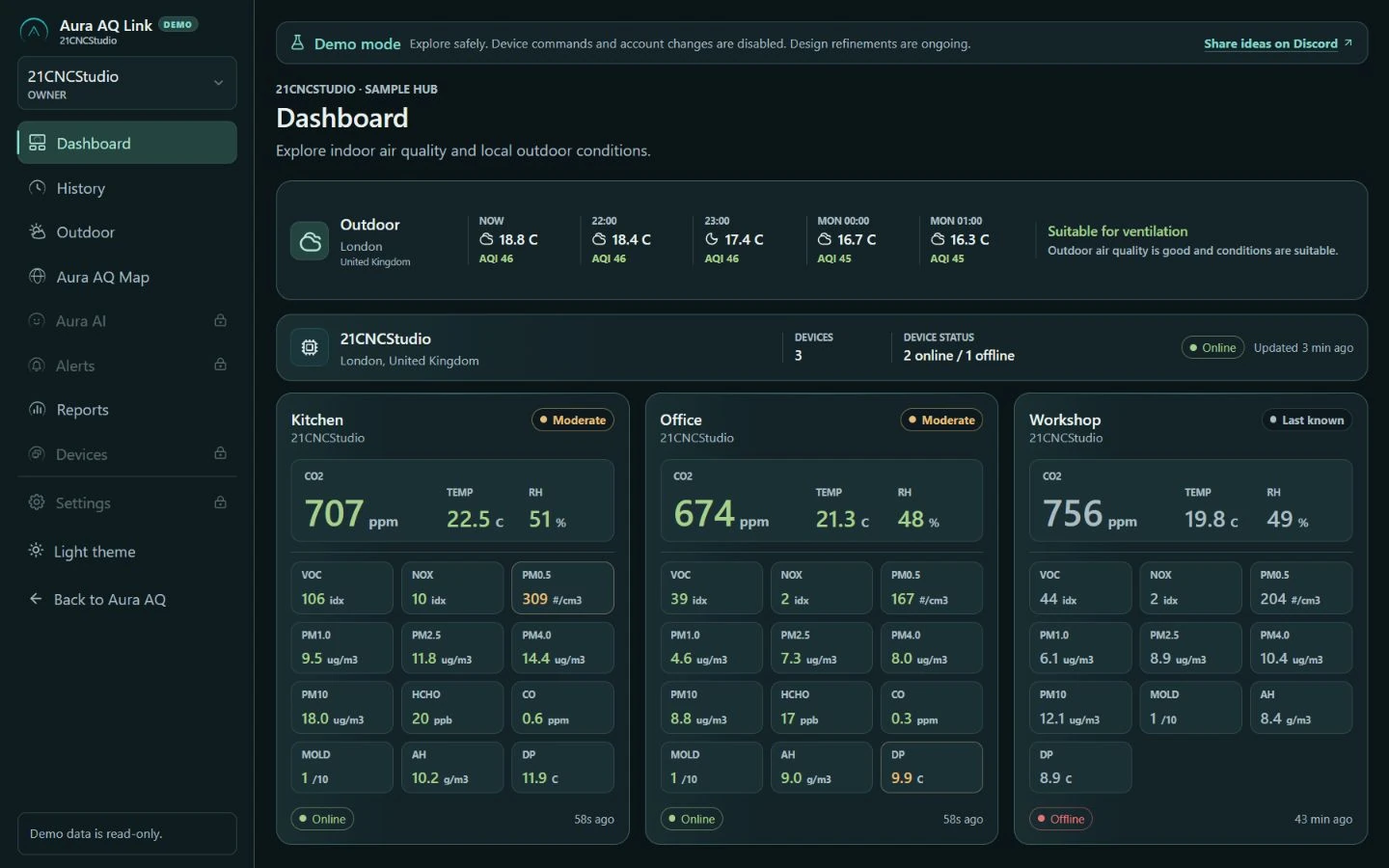
The monitor’s touchscreen and local dashboard work without an Aura account or subscription. Link is an optional online service; local monitoring continues without it.

02 / Devices & software

Four parts.
A role for each.

A finished DIY build, a working Hub prototype, an online demo and the next hardware concepts. Here is what each brings to Aura.

01 / The monitorBuild available

Aura AQ

See what changes in the air around you.

A touchscreen station for a bedroom, office or workshop. Read the measurements on the device, open its dashboard on your local network, or bring them into Home Assistant.

Measures
CO₂, particles, VOC and NOx, temperature and humidity. Sensor coverage depends on the build.
Builds
4.3-inch and 7-inch touchscreens with 3D-printable enclosures.
Connects
Local Wi-Fi dashboard, MQTT / Home Assistant and pairing with Hub.
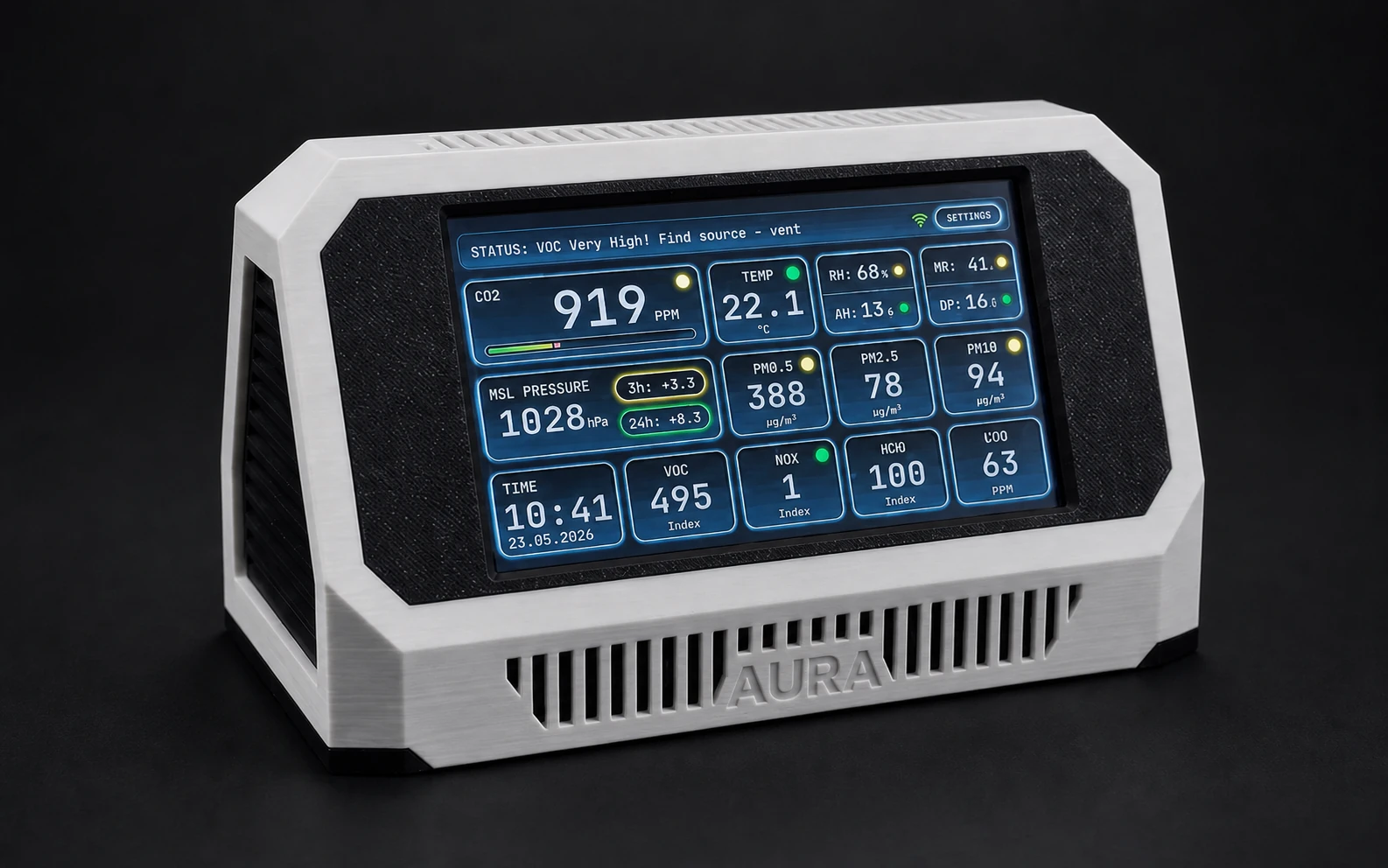
Explore the monitor on aura-aq.com
Aura AQ touchscreen showing air-quality readings in a white printed enclosure
Aura AQ · Live readings on the device

02 / The local centreIn development

Aura AQ Hub

Your rooms, on one screen.

Hub brings readings from several Aura devices together. Compare rooms, see which device needs attention and use the shared screen without opening separate dashboards.

Working now
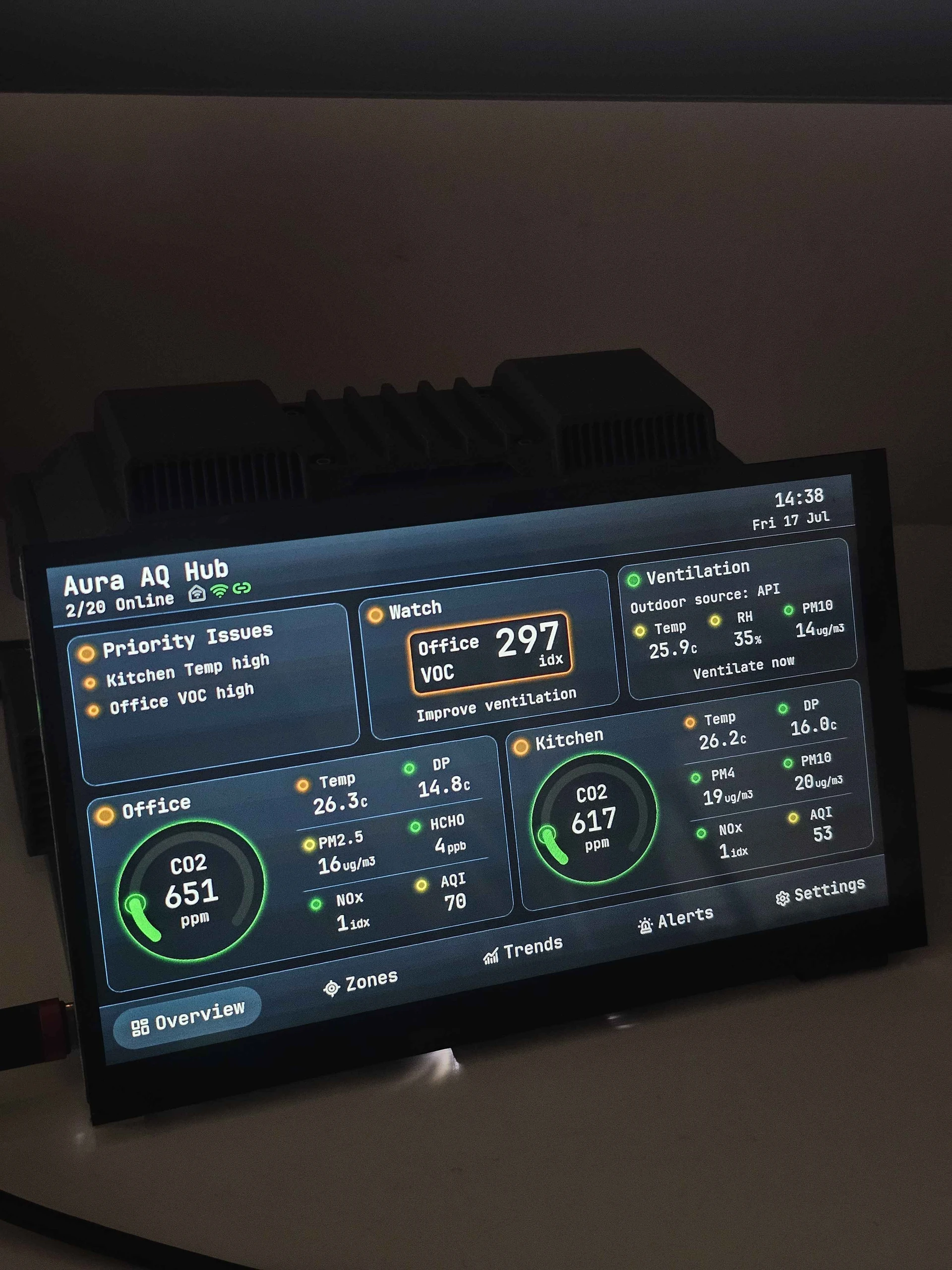
A prototype with real Aura devices, a room overview, local MQTT publishing and data sent to Link.
Fits your setup
Use it as an Aura screen, or send readings to an existing Home Assistant system.
Next steps
Guided setup and control of selected Zigbee devices are planned. Final hardware and compatibility are still in development.
See the Hub prototype and roadmap
Early Aura AQ Hub prototype displaying readings from Office and Kitchen
From the workbench · Early prototype, not the final enclosure

04 / Future nodesConcept stage

Aura Satellites

More places to sense. More ways to respond.

Compact, screenless devices are the next hardware direction: indoor sensors for additional rooms, an outdoor sensor for conditions at your home, and separate control nodes for supported equipment.

Intended role
Extend Hub with room measurements, local outdoor context and future ventilation or extraction control.
Still open
Hardware, sensors, power and connectivity. There is no hardware prototype, final specification or release date yet.
Explore the Satellite concepts
Future coverageConcept / Not product hardware
IndoorsRoom-by-room sensing
OutdoorsAir at your own location
ControlSupported equipment
Planned extensions to the local Hub. Current development focuses on Hub and Link.

03 / Made at 21CNCStudio

From the enclosure
to the interface.

Aura brings together the work I do across physical design and software: fitting boards and sensors into a printable case, writing firmware, and designing the screens that make the readings useful.

The monitor is the starting point. Hub, Link and the Satellite concepts take that same work into a connected system for the spaces we use every day.

Volodymyr Papush · Creator of Aura / 21CNCStudio
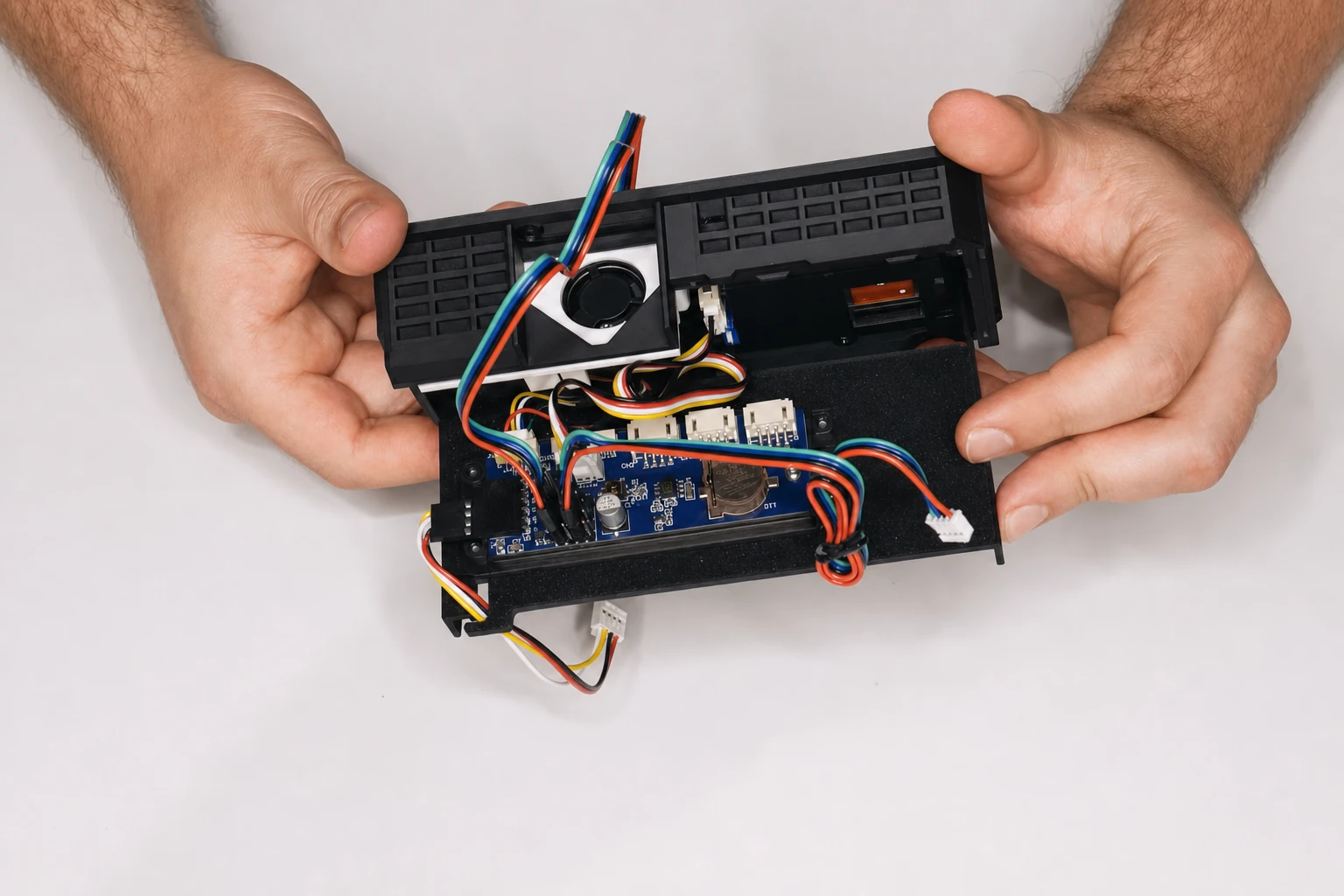
An opened Aura AQ enclosure with the display board, sensor and wiring
Aura AQ assembly · Enclosure, electronics and firmware developed together

Continue on the Aura website

Build your first Aura.
Follow what’s next.

Find the monitor’s parts, printable files and firmware, explore the Link demo, or follow Hub and Satellite development.

MAKERLENS