Christmas Wreath / Laser engraving design
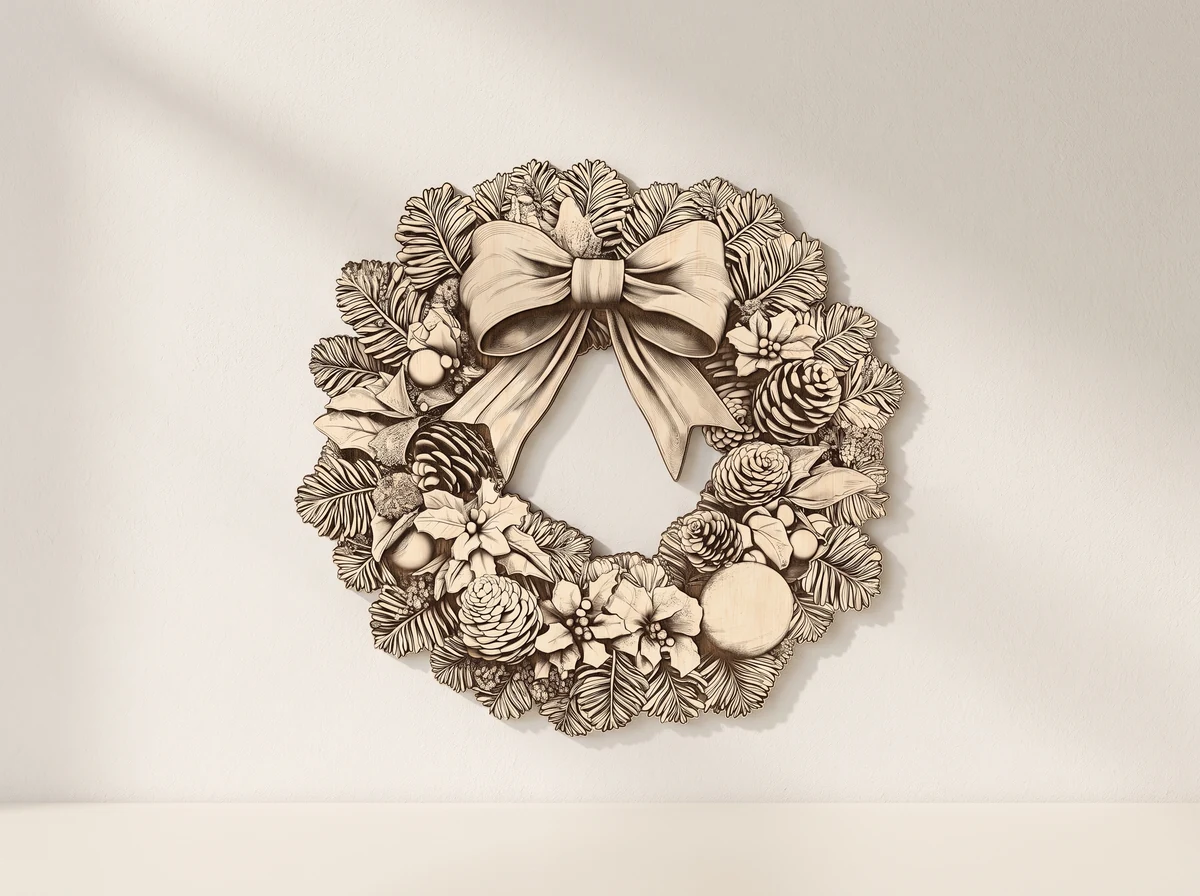
Christmas wreath. An engraving image.
Pinecones, holly and a large bow form this Christmas wreath image. Prepare the PNG for engraving and use the separate SVG outline if you want to cut its shape.
Digital engraving files · PNG image + SVG outline · PDF usage instructions
No physical model or materials are shipped.
01 /The design
A wreath image with fine seasonal detail.
The circular composition brings together foliage, pinecones and a bow above the open centre. Normal and Jarvis PNG versions are supplied, along with an SVG cutting outline and PDF usage instructions.
The relief-like appearance in the preview is a visual effect. The engraved result depends on your machine, material and settings; test a small section to judge the contrast and detail.
Two PNG versions
Choose the appropriate image-processing method for the Normal or Jarvis image in your software.
Separate cutting outline
The SVG defines the shape around the engraving image.
Usage instructions
Read the supplied PDF before setting up the engraving job.
02 /At your workbench
Test your material.Prepare the engraving.
Read the instructions.
Identify the Normal and Jarvis PNG versions and the separate SVG cutting outline. Read the PDF usage instructions before preparing the job.
Test the image.
Choose the appropriate image-processing method in your engraving software and run a small material test for detail and contrast.
Align the outline.
If cutting around the wreath, match the SVG outline to the PNG image at the same scale and check the operations before starting.
Plan this build.
Check how the fine foliage and pinecone detail render on your material. If you use the cutting outline, verify its alignment and scale against the PNG before processing the full wreath.
Before you start.
- Project
- Wreath engraving image with a cutting outline
- Image versions
- Normal and Jarvis PNG
- Cutting outline
- SVG
- Instructions
- PDF usage instructions
Does this file create a sculpted 3D wreath?
This is a raster engraving image with a cutting outline. The preview’s 3D appearance is a visual effect; it does not promise a sculpted relief or a particular engraving depth.
What do I receive?
Normal and Jarvis PNG images, an SVG cutting outline and PDF usage instructions. No physical wreath, engraved object or material is supplied.
Can I change the scale?
Keep the PNG image and SVG outline aligned at the same scale. Enlarging the image does not add pixel detail; inspect the output preview and test at your intended size.
Can I use the design commercially?
The files are for personal use. Contact 21CNCStudio before commercial use or selling finished items. Do not resell, share or redistribute the digital files without permission.
03 /From the studio to your workbench
Prepare your Christmas engraving.
View the Christmas Wreath file package and its current terms on Etsy.
View files on EtsyDigital design files.No physical model, material or hardware is shipped.