Soldier and Tank / Laser engraving design
Soldier and tank. An engraving image.
A soldier beside a tank, with an American flag behind them. A PNG engraving image with a separate SVG cutting outline and PDF usage instructions.
Digital engraving files · PNG image + SVG outline · PDF usage instructions
No physical model or materials are shipped.
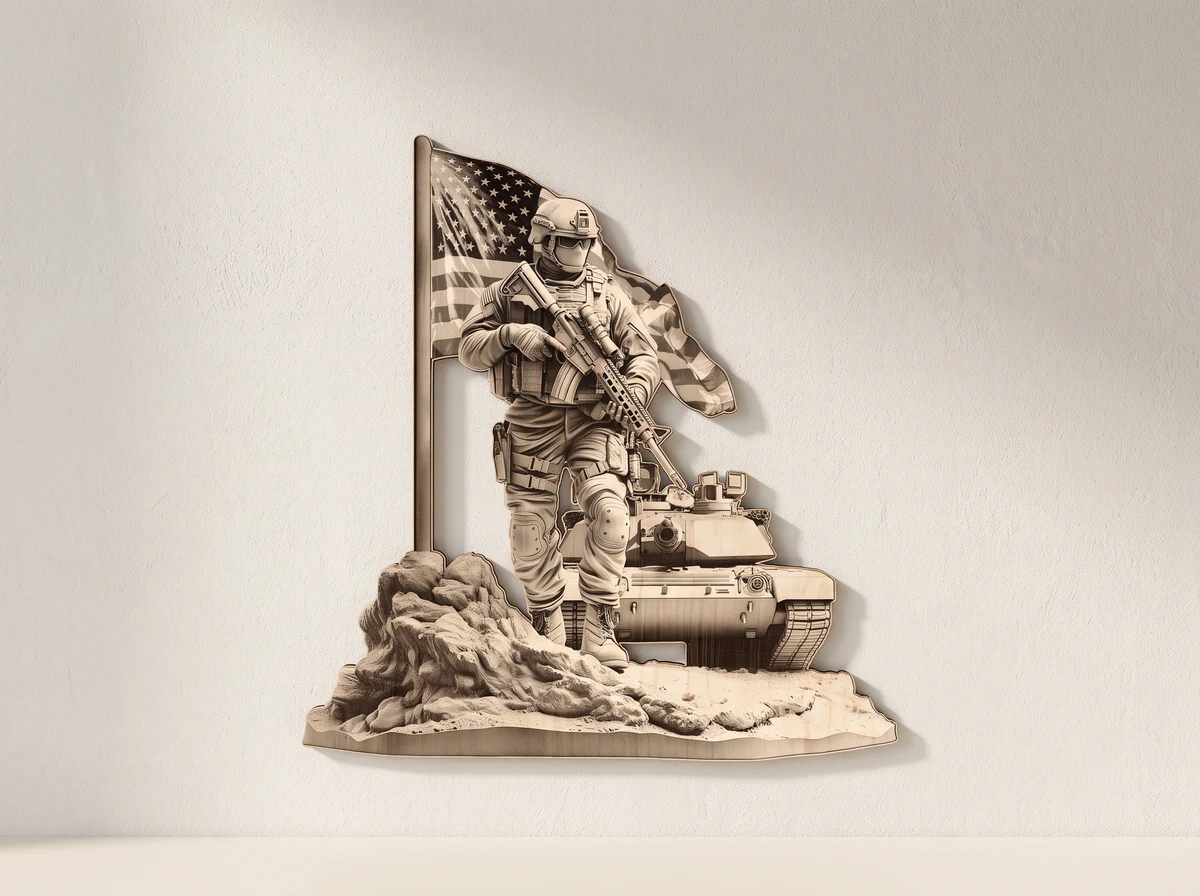
01 /The design
An image for engraving, with a matching outline.
The design supplies Normal and Jarvis PNG versions of the military-themed image. The separate SVG defines a cutting outline; it is not the raster engraving image itself.
The preview’s three-dimensional appearance is a visual effect. Engraving depth and finish depend on your machine, settings and material, so use a small test to judge the result before processing the full design.
Two PNG versions
Normal and Jarvis images are supplied for the engraving workflow.
Separate SVG outline
Use the outline if you want to cut the shape around the image.
PDF usage instructions
Extract the ZIP archive and read the instructions before preparing the job.
02 /At your workbench
Test your material.Prepare the engraving.
Extract and read.
Unpack the ZIP archive and read the PDF usage instructions. Identify the Normal and Jarvis PNG images and the separate SVG cutting outline.
Choose the image.
Open the appropriate PNG version in your engraving software. Run a small material test to judge detail and contrast before processing the whole image.
Check the outline.
If using the SVG outline to cut the shape, align it with the engraving image at the same scale and confirm the operations in your laser software.
Plan this build.
Check the chosen PNG in your engraving software and test detail and contrast on a small material sample. If cutting around the image, confirm that the SVG outline matches its scale and position.
Before you start.
- Project
- Engraving image with a cutting outline
- Image versions
- Normal and Jarvis PNG
- Cutting outline
- SVG
- Instructions
- PDF usage instructions
- Delivery
- ZIP archive; extract before opening
Is this a 3D model or a laser-engraving image?
It is a laser-engraving image with a cutting outline. The 3D appearance is a visual effect, not a supplied sculptural model or a guaranteed engraving depth.
What do I receive?
Normal and Jarvis PNG image files, an SVG cutting outline, PDF usage instructions and a ZIP archive. Extract the archive before opening the files. No physical engraved object, material or hardware is supplied.
Can I change the scale?
Keep the PNG image and SVG cutting outline aligned at the same scale. Enlarging the image does not add pixel detail; check the preview and run a small material test at your intended output size.
Can I use the design commercially?
The files are for personal use. Contact 21CNCStudio before commercial use or selling finished items. Do not resell, share or redistribute the digital files without permission.
03 /From the studio to your workbench
Prepare the engraving.
View the Soldier and Tank file package and its current terms on Etsy.
View files on EtsyDigital design files.No physical model, material or hardware is shipped.