

Winter is coming, and the mood in the workshop is shifting. Most of you know me as an engineer in love with the precision of laser cutting and the scent of burnt wood. But creativity hates boundaries. Lately, I’ve been increasingly captivated by the magic of 3D printing, which allows me to create organic shapes and mechanical details that are simply impossible with plywood.
Today, I want to share two special projects with you. These aren’t just static models for your shelf—they are fully functional, radio-controlled Snowcats that you can print and assemble yourself.
And the best part? The files are absolutely free for personal use. Consider this my holiday gift to the maker community! 🎁
Inspiration: From Horror to Holiday Cheer
It all started on Halloween. I was rewatching the classic movie “The Thing” and found myself mesmerized by those rugged arctic snowcats. A thought clicked in my head: “It’s time to build my own version.”
I wanted to design something compact, utilitarian, and low-slung on its tracks—a vehicle with a true expedition vibe. That is how the Arctic Snowcat was born.
❄️ The Arctic Snowcat: Polar Station Aesthetics
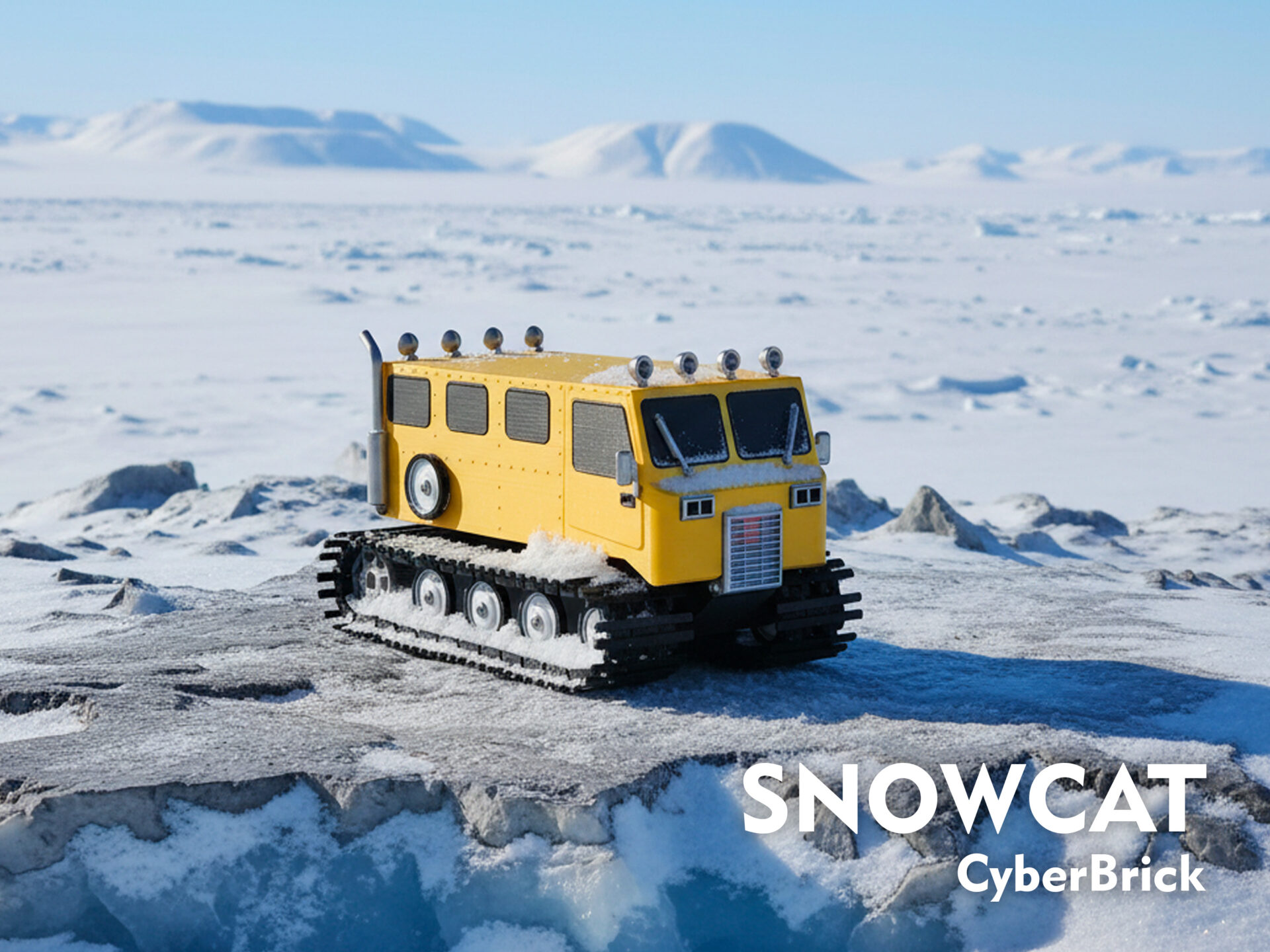
For this model, I steered clear of specific brands. Instead, I drew inspiration from the vintage machines of the Spryte 1200 era. I wanted to capture the atmosphere of isolated polar stations, crisp snow, and long winter twilights.
I spent a lot of time tuning the colors for the PLA print to make it look heavy and industrial:
- PLA Metal Iron Gray Metallic instead of plain black—it softens reflections, hides layer lines, and makes the details look like real metal.
- PLA Silk+ Silver for the rims and accents to create a convincing chrome effect.
By the way, if this project reaches 50 boosts on MakerWorld, I plan to release a servo-driven snow plow as a free upgrade!
🎅 Santa’s Snowcat: When the Reindeer Take a Day Off
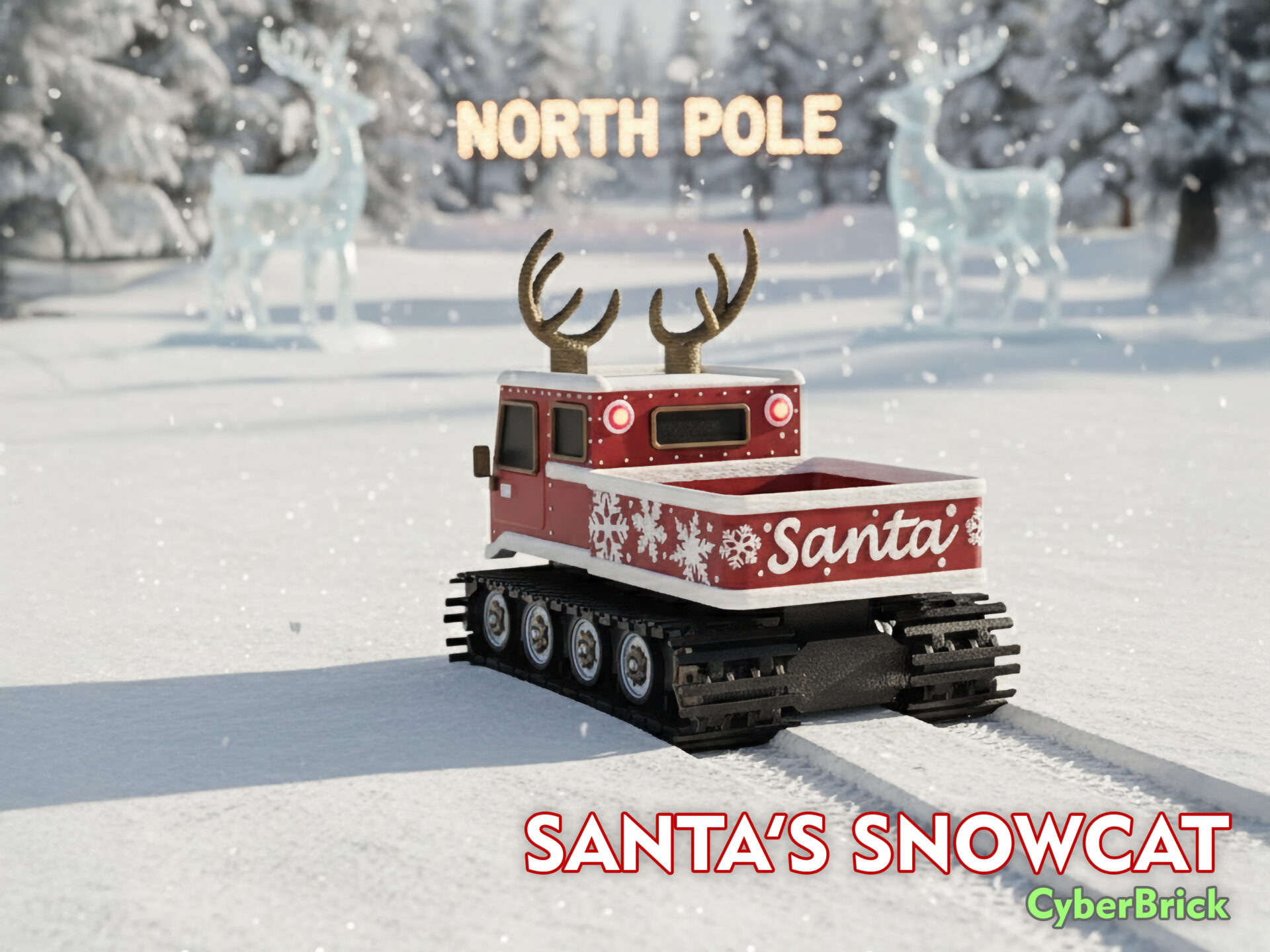
Once the Arctic version was finished and sitting on my bench, I thought: “The mechanics work perfectly… why not make a Christmas version?”
Imagine this: Santa gave the reindeer a day off, rolled out a CyberBrick rig, and loaded it up. I transformed the rugged machine into a festive red truck. I added snowflake panels, bolt-on antlers, and, of course, working headlights and taillights. It still drives like a beast, but now it looks right at home in a cozy Christmas village under your tree.
I designed two versions for different skill levels:
1. Pro Version: The cab details and red panels are merged. This allows you to use the “Fuzzy Skin” setting in your slicer to create a unique, snow-like or felt-like texture. It looks amazing but takes longer to print.
2. Simplified Version: Perfect for single-nozzle printers. The parts are separated, requiring minimal filament swaps. It’s easy to manage and assemble.
The Engineering Magic: Powered by CyberBrick
Both models are built on the versatile CyberBrick platform.
- Movement: The tracks are driven by two continuous-rotation servos (360°). This provides excellent torque and control.
- Controls: Classic “tank style” steering. Left stick controls the left track, right stick controls the right track. It’s intuitive and incredibly fun to drive.
- Assembly: Detailed PDF guides are included with the files. I wanted the assembly process to be just as enjoyable as driving the finished model.
Download and Create!
I believe that engineering creativity should be accessible to everyone. That’s why these files are available for free.
👉 Download Arctic Snowcat on MakerWorld
👉 Download Santa’s Snowcat on MakerWorld
Load the bed with tiny presents, drive it under the Christmas tree, and enjoy the winter season in style! If you build one, I’d love to see your version—different colors, stickers, or mods. It brings me immense joy to see my designs come to life in workshops around the world.
Happy Holidays and Happy Printing!
Volodymyr Papush
21CNCStudio